This English notice is provided for convenience. If there is any discrepancy, the Turkish text, which is the binding version, prevails.
You can initiate deletion of your Rezervem guest app account in the app, or send us a deletion request. Deleting the app account does not automatically delete all booking records controlled separately by a restaurant or hotel.
In the mobile app
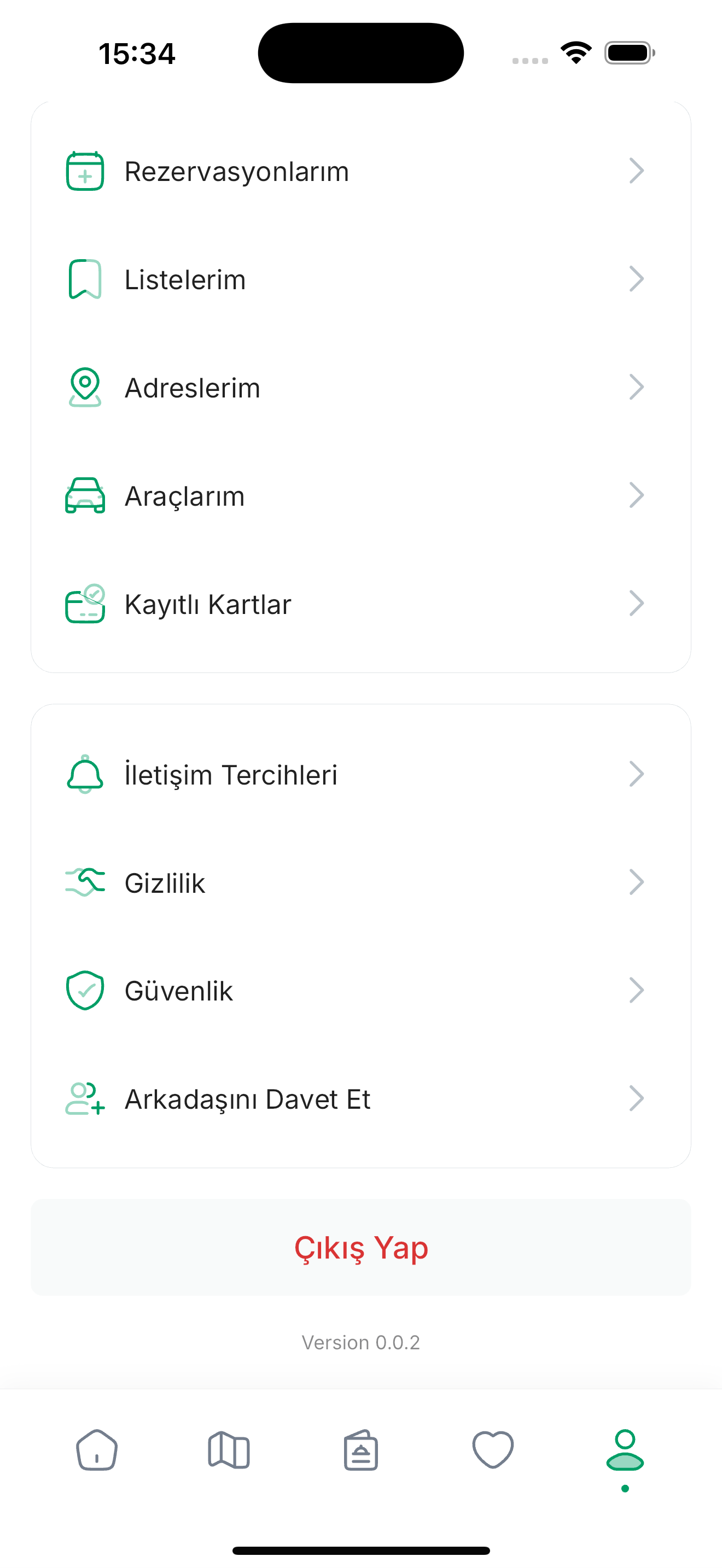
- Open Profile.
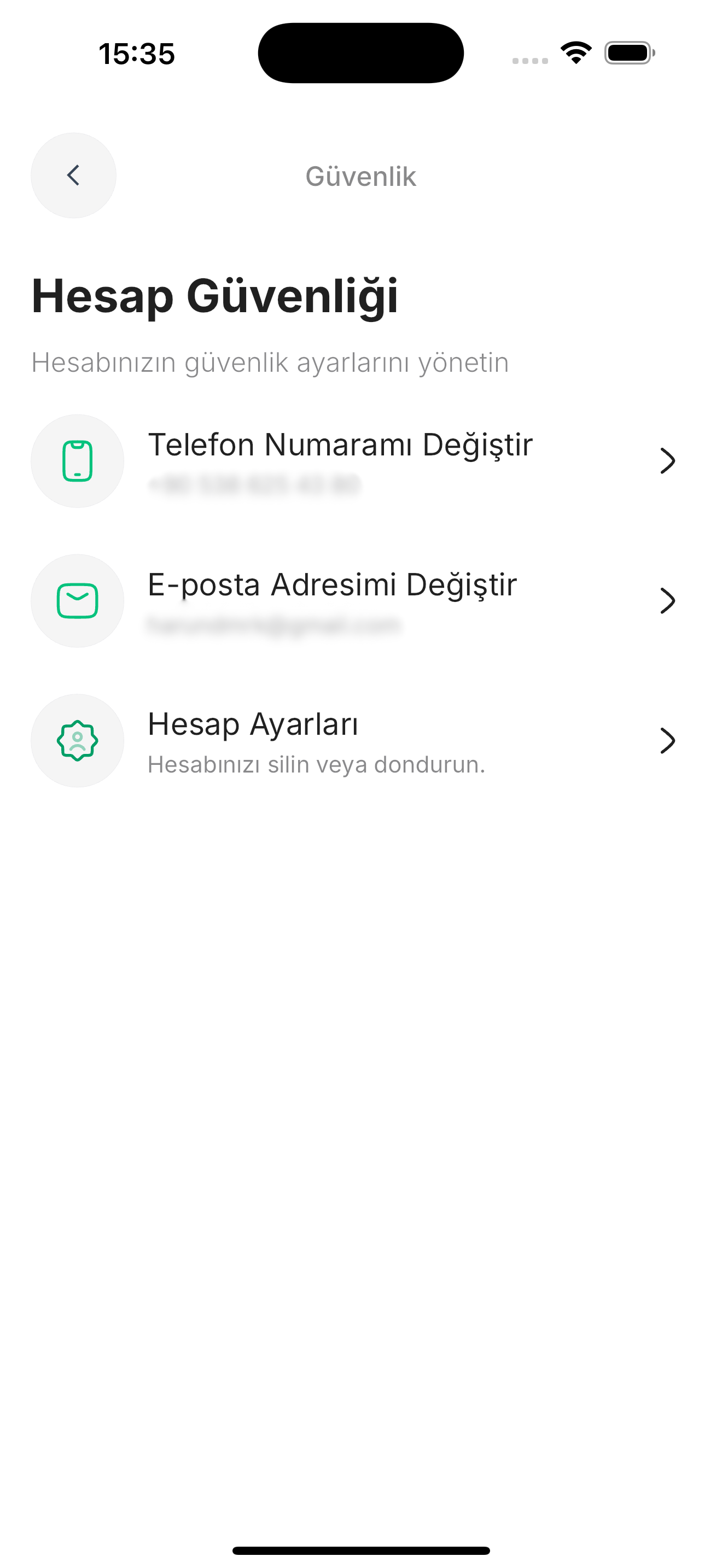
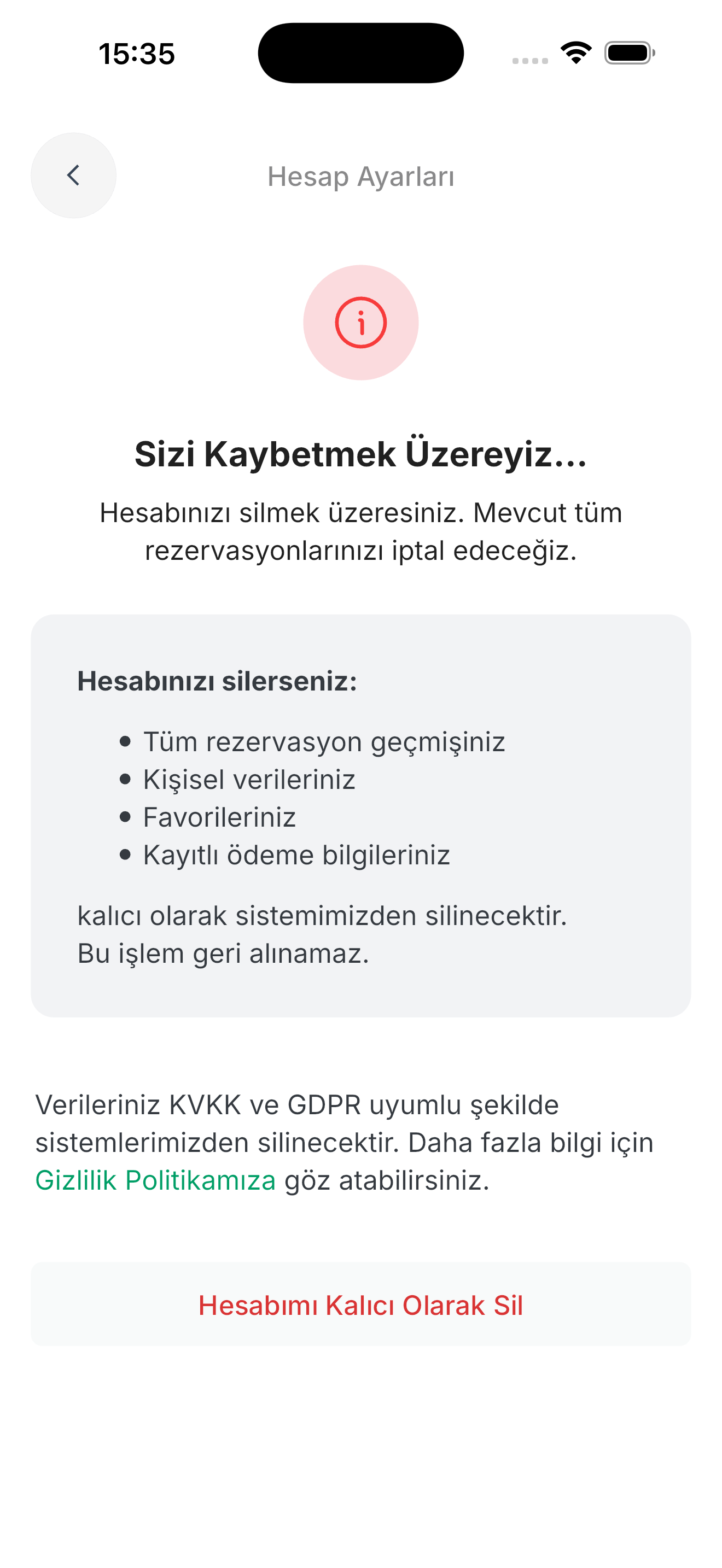
- Find the account deletion option under Security or Account Settings.
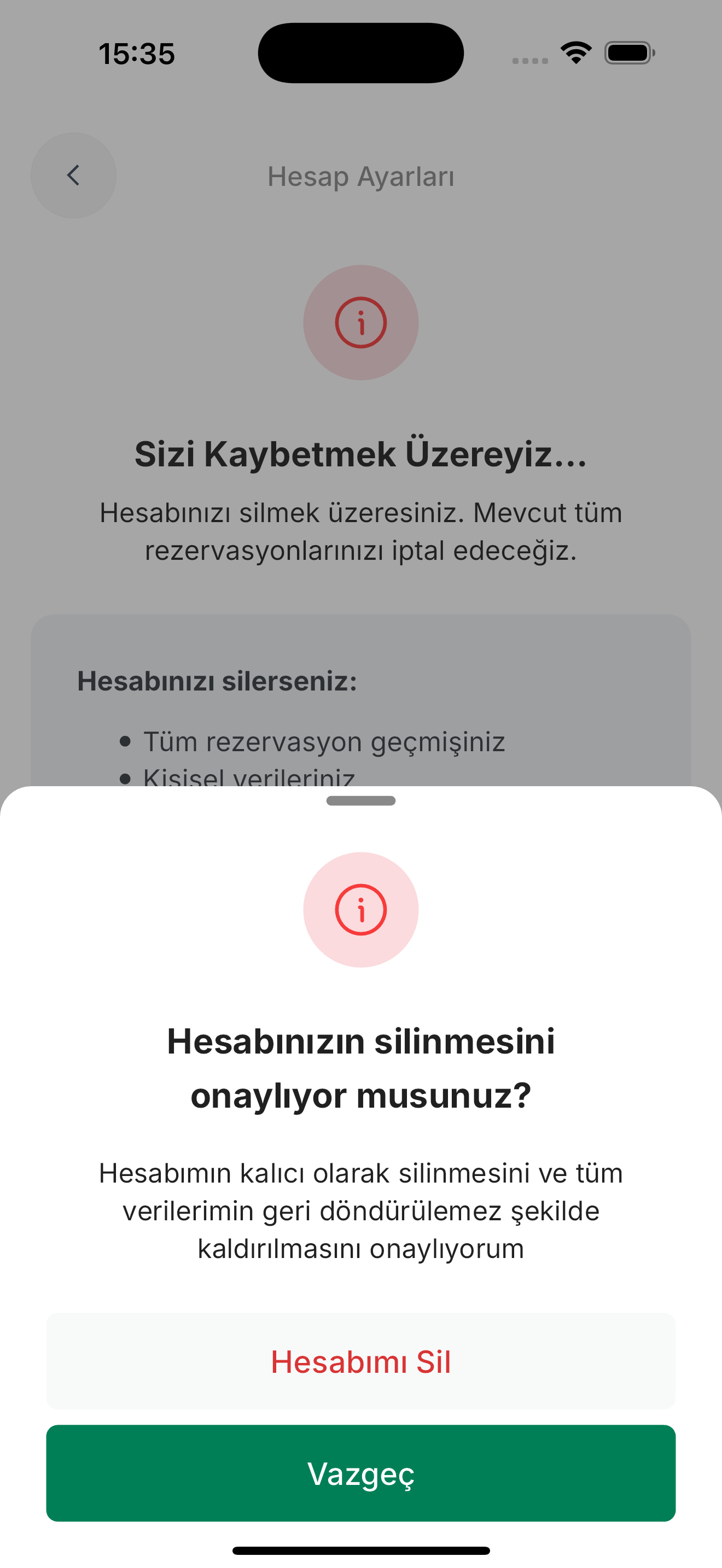
- Complete the verification and final confirmation steps shown.
- Menu labels can vary by app version; if you cannot find the option, send us a request by email.
Deletion and retention
Account-related data is erased, destroyed or anonymised according to processing purpose and legal retention obligations. Certain records may need to be retained for legal obligations or protection of rights. Booking records may contain personal data; this notice does not claim that all records are immediately deleted or retained for a fixed two years.
Records controlled by venues
Restaurants or hotels may control their own guest and booking records. You need to send your deletion request for those records to the relevant venue as well; Rezervem acts on the controller's instructions when processing on its behalf, and the response time and responsibility rest with the venue. If you name the venue in your request, it is easier to determine which records the request must be routed to. For account data where Rezervem is the controller, the timings on this page apply.
Request and timing
Email info@rezervem.com.tr to request deletion. Identity verification may be required; requests are answered under applicable rules within 30 days at the latest. Receipt of a request does not mean every data copy was erased immediately.
App screenshots
The screenshots below are illustrative. The screens and menu labels may differ by app version.